Kev faib tawm TV
Nruab TV nkhaus, phab ntsa-mounted TV brackets Tseg chaw thiab txaus siab rau cov txiaj ntsig zoo saib. Hom TV TV yog dab tsi?
1. ANFENT CARACKETS
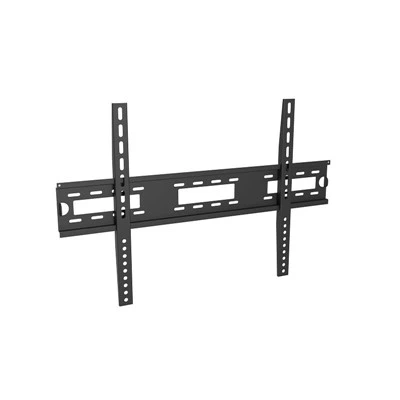
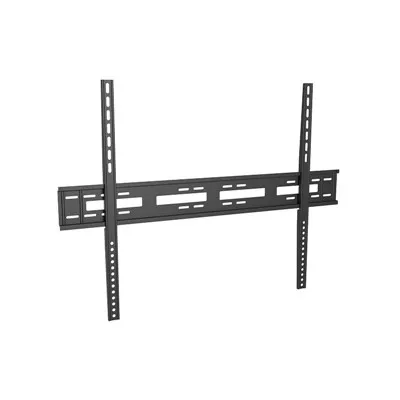
Cov bracket no yog qhov yooj yim ntawm TV thav duab. Nws lub ntsiab muaj nuj nqi yog dai rau TV ncej ntawm phab ntsa tom qab. Lub TV no feem ntau yog nyias nyias thiab muaj lub peev xwm me me, tab sis nws tsis tas yuav tsum rau cov phab ntsa thiab load-kabmob phab ntsa.
2. Cantilever Backets
Cov bracket no yog ib qho ntawm ntau-ua haujlwm TV cov khoom lag luam. Nws muaj cantilever (bracket txhais caj npab) thiab tuaj yeem kho lub kaum sab xis, qaij lossis qaij los yog qaij thaum pom kev paub ntawm cov neeg siv uas feem ntau thiab nyiam saib. Txawm li cas los xij, lub TV bracket tseem muaj qhov tsis zoo, qhov ntawd yog, qhov yuav tsum muaj rau phab ntsa, txwv tsis pub nws tsis txaus los nruab phab ntsa ntau mount.
3. Kev nkhaus
Cantilever nkhaus feem ntau tsuas hloov kho lub nce thiab nqes av. Txawm li cas los xij, kev ua haujlwm ntsuas-theem TV yuav paub txog sab laug thiab sab xis hloov kho tau ntawm lub TV, thiab rub tawm kev hloov kho, thiab kom peb tuaj yeem muaj kev ua tau zoo heev Saib cov kev paub txawm tias peb tab tom zaum, dag, lossis pw ntawm peb nraub qaum. Lub TV tsau rau ntawm lub desktop txwv lub kaum ntawm lub TV thiab tsis yooj yim rau peb saib. Txawm li cas los xij, thaum lub TV tau sawv ntsug, nws yog kev ywj pheej los ntawm kev txwv thiab muaj kev ywj pheej. Tsis tsuas yog nws yooj yim saib, tab sis nyob rau hauv lub caij huab cua, koj kuj tuaj yeem hloov kho qhov deb ntawm lub TV thiab phab ntsa kom tiv thaiv lub TV los ntawm noo noo.